Check your plan
Log in to see your account information, available balance and activity. Your employer’s plan determines your allowance and eligibility.
Open the member portalALREADY WITH AYA?
Access your plan, find claim guidance or get support with your account.
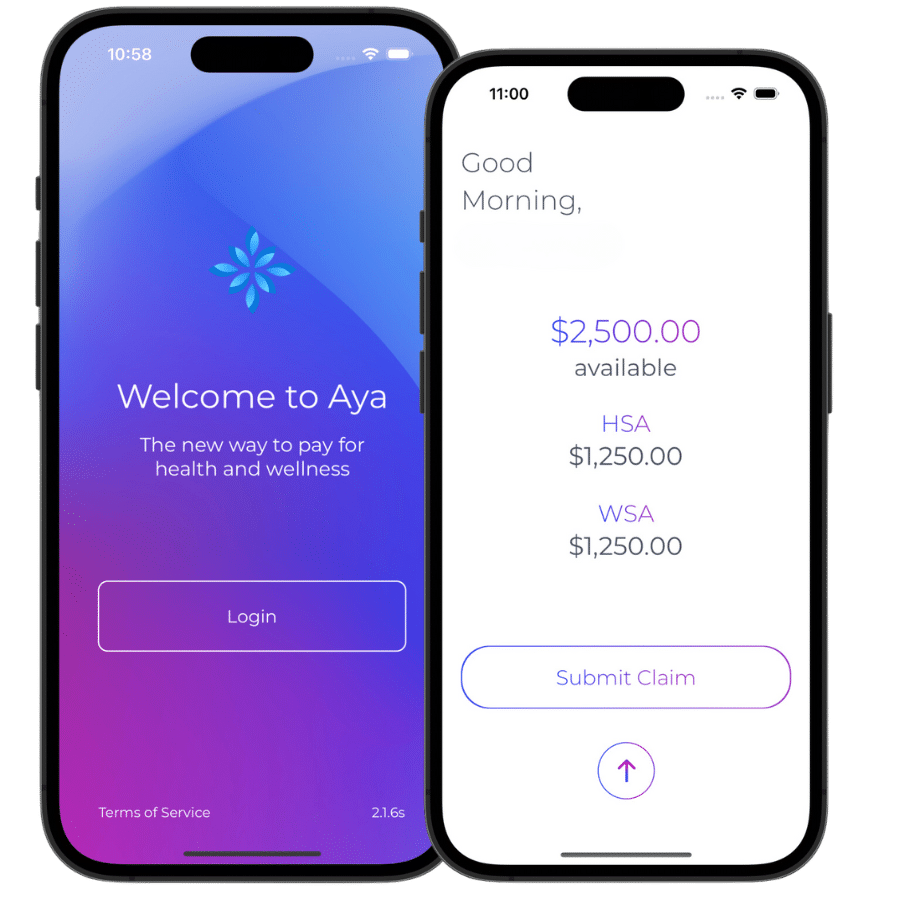
Log in to see your account information, available balance and activity. Your employer’s plan determines your allowance and eligibility.
Open the member portalUse the app or web portal to upload an itemized receipt and any required documents. Track the claim in your account.
Find claim guidanceNeed help with access, your card or a claim status? Aya’s support team can help you find the next step.
Contact supportFREQUENTLY ASKED QUESTIONS
A Health Spending Account (HSA) functions like a designated bank account for covering medical, dental, vision expenses and more. Eligible HSA benefits are tax-free for employees federally; Québec provincial tax applies to employer-paid coverage.
See the eligible medical expenses.
A Wellness Spending Account (WSA) is a taxable employer-funded benefit designed to support and encourage wellness and healthy living for expenses beyond and including what an HSA can provide.
See Aya’s wellness expense categories and examples.
Great news! You have all-in-one coverage. You’ll receive a balance for each bucket to use within the specified frameworks. If your employer set up a Flex account for you, you’ll receive a lump sum and can decide how much to allocate to your HSA or WSA bucket at the start of the year!
No problem! Submit eligible expenses to your primary group benefits plan first, then to your partner’s plan if applicable. Any unpaid portions can then be submitted to Aya’s HSA/WSA for comprehensive coverage.
As soon as you’re enrolled, you will receive an invite email! This invite email will provide you access to your portal. Once this is completed successfully, you will receive a welcome email with everything you need to know to get started!
It’s through EFT. Employees can enter their banking details via the app and they can do it anytime in seconds.
AYA WALKTHROUGH · 4:22
See balances, receipts, claim status and eligible-expense guidance.
Choose play to load the YouTube video here. Watch on YouTube · Read the portal guides
WE’RE HERE TO HELP
Email Aya for account and claim questions.
Share only what is needed to identify the issue. Use the member portal for receipts, banking details and health information.